
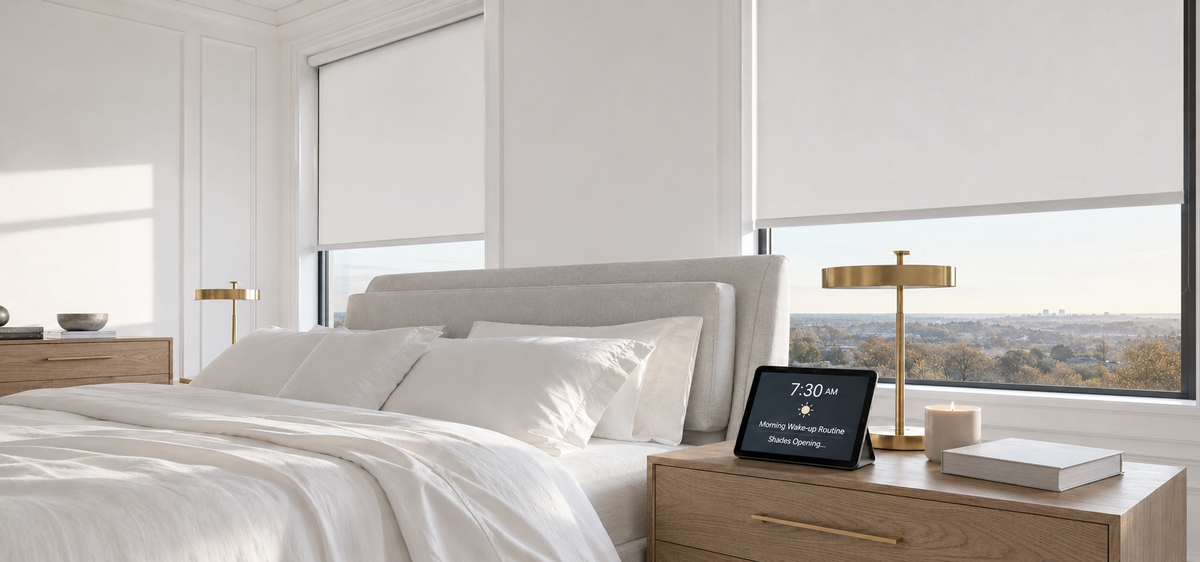

Most motorized shades end up doing one thing: opening in the morning and closing at night, on a timer someone set the week they were installed.
That works, and it is also why a lot of automation gets turned off after a month. A fixed clock time is wrong twice a year at minimum, and it is wrong most afternoons in a room where the problem is glare rather than routine.
There are four things that can tell a shade to move. Picking the right one per room is most of the job.

What You Can Actually Set
|
Trigger |
Moves the shade based on |
Best for |
|
A fixed time |
The clock |
Bedrooms and anything tied to the household's routine |
|
Sunrise or sunset |
Real solar times for your location, updated daily |
Privacy at dusk, and anything that drifts with the seasons |
|
Light level |
How bright it actually is at the window |
Glare, west-facing rooms, cloudy days |
|
A scene |
Someone pressing a button or saying a phrase |
Rooms that change use during the day |
Most homes use two or three of these. Nobody needs all four in every room.

Start Simple: One Open and One Close
The usual mistake is building something elaborate on day one. It falls apart because nobody else in the house knows what it does, and the first time it surprises a guest it gets switched off.
Better to start with one open and one close per room, and change nothing for a fortnight:
Bedrooms open later than living rooms, so nobody is woken by hardware
Rooms nobody enters stay closed — a formal dining room sits in full sun all day with no one there to notice
Everything else gets a morning open and an evening close
Two weeks in, it becomes clear which rooms you are still adjusting by hand. Those rooms need a different trigger, not a different time.

Sunrise and Sunset Instead of Fixed Times
A clock schedule is set against one week of the year. In a northern US city, sunset moves by several hours between June and December — so a shade set to close at 7pm closes in full daylight for half the year, and well after dark for the other half.
Sunrise and sunset triggers use the real solar times where you live and update daily. Set once, right all year. SmartWings shades support both, alongside fixed schedules, set through the smart home platform the shades are connected to.
In practice, an offset works better than the exact moment:
Half an hour before sunset for privacy, so the shades are down before interior lights make the room visible from outside
Half an hour after sunrise in bedrooms, which gives a daylight cue without an abrupt one
Right at sunrise in kitchens and hallways, where earlier is simply more useful

Setting Times by Which Way the Window Faces
One schedule for the whole house ignores the fact that each side of the building gets completely different sun. This is the part most people skip, and it is what makes a routine feel right rather than arbitrary.
|
The window faces |
What the sun does |
What to set |
|
East |
Strong for two or three hours after sunrise, then gone |
Open at sunrise, nothing else needed |
|
South |
Steady through the middle of the day, and reaches further into the room in winter than in summer |
A partial position over midday rather than open or shut |
|
West |
Low and direct from mid-afternoon until sunset |
The one window where light, not time, is the better trigger |
|
North |
Even and indirect, barely changes |
Manual, or a simple privacy close |
Two points worth building in. A south-facing window admits less direct sun in June than in December, because the summer sun sits higher overhead. And on any window, a lower winter sun reaches further across the floor than a high summer one, so a schedule that felt right in August may need revisiting.
When Light, Not Time, Should Move the Shade
A timer does not know what the weather is doing. A shade set to lower at 2pm lowers on an overcast Tuesday when the room needed all the light it could get, then sits still through a bright morning nobody scheduled.
Glare is a brightness problem, not a time problem.
The SmartWings Smart Sunlight Sensor reads the light at the window and adjusts the shades in real time. It attaches to the glass with the included suction cup, or to the frame with the supplied adhesive, so there is nothing to wire and nothing to drill. It runs on AAA batteries, typically for several months. $79.99.
Two things are worth knowing before adding one:
It has three preset light intensity modes. Which one suits a room is best settled by leaving one in place for a week and seeing whether you are still adjusting that shade by hand
One sensor covers up to ten shades, which makes the side of the house a more useful unit than the room. Windows on the same elevation get sun at the same time, so one on the west and one on the south covers most homes. Mount it on the window that catches the sun first

Scenes for Rooms That Change During the Day
Schedules handle the routine. Scenes handle everything else, and they are what people use most.
A scene moves several shades at once because someone asked, not because the clock reached a certain time. The ones that stick are simple:
Leaving the house — every shade to a set position in one command
Away for the week — shades closed in every room nobody will enter
Movie — the media room drops, the adjoining rooms drop, nothing else moves
Guest arriving — the spare room opens, which nobody remembers to do by hand
Because scenes live in the smart home platform, a SmartWings shade can sit in one alongside lights, a thermostat, or a lock.
Room by Room
The automation that lasts is the automation that takes over a job someone was already doing.
|
Room |
What to use |
What it does |
|
Bedroom |
A fixed time |
Opens after the alarm, closes in the evening |
|
Living room |
Sunset, or a light sensor |
Privacy at dusk, or glare handled as it happens |
|
Home office |
A light sensor |
Reacts to actual brightness instead of the clock |
|
Kitchen |
Sunrise |
Opens early, then left alone |
|
Media room |
A scene |
Two positions, both chosen by a person |
|
Guest room, formal dining |
A fixed time, closed |
Keeps sun off rooms nobody checks |
|
Stairwell and high windows |
A fixed time |
The windows nobody would reach anyway |
Controls Everyone in the House Can Use
Automation that only works through one person's phone stops being useful the moment that person is out.
A wall switch gives everyone one obvious control. The SmartWings TapTech single and 5-channel remote wall switch is $39.99 and mounts at light-switch height, so it never goes missing
A multi-channel remote operates a single shade or a whole channel at once, which suits a room with several windows
Voice is worth adding on top rather than relying on, since it needs a working speaker and a clear phrase. Setting it up with Alexa is covered in the Alexa voice control guide
If the Automation Starts Annoying You
Most complaints trace back to one of four things, and each has a straightforward fix.
A shade moved while someone was in the room. Take bedrooms and bathrooms off the schedule, or restrict it to hours the room is empty
Nobody else can work it. Put a wall switch in each main room
You keep correcting the same window by hand every afternoon. That window is dealing with glare, which a timer will not get right — it is the candidate for a light sensor
It stopped responding after a router or hub change. The platform has lost the devices rather than the shades failing. A remote or wall switch still operates them directly while you re-add them
What to Decide Before You Order
Two of these are difficult to change afterwards.
Power. The rechargeable motor runs about 4 to 6 months per charge over a Type-C cable, which is fine for any window you can reach. For high windows, stairwell windows, or anything needing a ladder, choose hardwired or Power over Ethernet when ordering — the power options guide covers it.
Protocol. This decides which platform the shades show up in, and therefore what you can automate.
|
Motor |
Works with |
Note |
|
Zigbee |
Samsung SmartThings, Home Assistant, Hubitat |
For a home already running a hub |
|
Z-Wave |
Samsung SmartThings, Home Assistant, Hubitat |
As above |
|
Matter |
Apple Home, Amazon Alexa, Google Home |
Uses Matter over Thread, so a Thread Border Router is needed in the home |
If that choice is unfamiliar, what Matter means for smart shades explains it in plain terms.
FAQ About Automating Motorized Shades
Q1: Can motorized shades open and close on their own?
Yes. SmartWings shades can run on a fixed schedule, on sunrise and sunset, or on measured light levels with a sunlight sensor, and each room can be set differently.
Q2: Do smart shades need Wi-Fi?
The shades themselves use Zigbee, Z-Wave, or Thread rather than Wi-Fi, and a remote or wall switch operates them without any network at all. Schedules, voice control, and access from outside the house run through a smart home platform, and that part needs the network.
Q3: Will the shades still work if the internet goes down?
Opening and closing from a remote or wall switch keeps working. Anything running through the smart home platform depends on that platform being reachable, which is the argument for keeping a physical control in each main room.
Q4: Can I control the shades while I'm away from home?
Yes, through the smart home platform, as long as the house is online.
Q5: Can different rooms be on different schedules?
Yes, and they should be. Bedrooms usually open later than living rooms, and rooms nobody uses are best left closed.
Q6: Do the shades open with the sunrise?
Sunrise and sunset triggers follow the real solar times for your location and shift with the seasons automatically, which is why they hold up better than a fixed time.


