
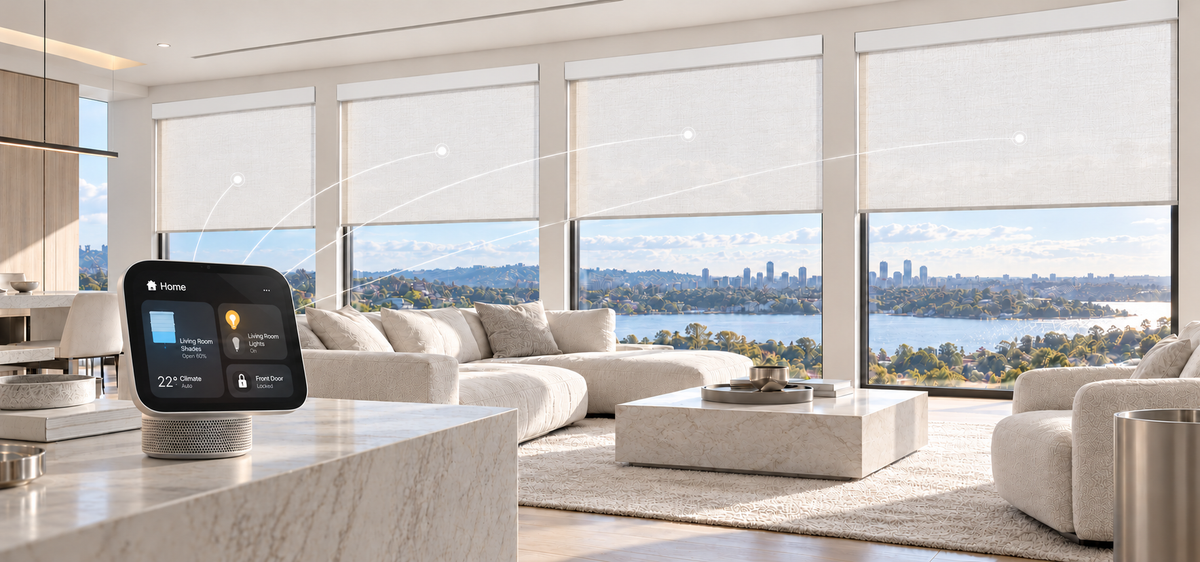

Apple's smart home ecosystem is entering a new chapter. With the October 2026 introduction of Apple HomeView, HomePod mini 2, and the fourth-generation Apple TV 4K, Apple is making it easier to manage connected devices and bring everyday home routines together.
But a smarter home isn't just about having more devices. It's about making them work together in ways that make daily life easier.
From adjusting the lights to managing room temperatures, Apple Home brings different parts of your home into one connected experience. And with SmartWings Matter shades, controlling natural light and privacy can be just as effortless.
Let's take a closer look at Apple's latest smart home devices, how Matter and Thread connect everything, and where smart shades fit into the picture.

Apple's 2026 Smart Home Lineup: What's New?
Apple's latest announcements introduce more convenient ways to interact with the connected home, whether through a dedicated display, voice commands, or your TV.
Apple HomeView: A Central Place for Home Control
Apple HomeView introduces a dedicated smart home display with a 7-inch touchscreen, bringing connected accessories, home information, and everyday controls into one convenient place.
Whether you're checking a security camera, adjusting the thermostat, or activating a scene, HomeView makes it easier to manage your home without reaching for your phone.
For homes with motorized shades, it offers another convenient way to control natural light and privacy alongside other compatible accessories.
HomePod mini 2: Hands-Free Convenience with Siri
The next-generation HomePod mini brings updated hardware and enhanced smart home capabilities, while continuing to offer hands-free control through Siri.
You can use voice commands to adjust compatible accessories, activate scenes, and manage everyday routines. Apple has also announced expanded Siri AI capabilities for HomePod mini 2 through a future software update.
For example, a simple "Siri, good night" can activate a scene that closes your shades and turns off the lights, making bedtime a little easier.
Apple TV 4K (4th Generation): More Than Entertainment
The latest Apple TV 4K combines an upgraded entertainment experience with powerful smart home features.
In addition to streaming movies and shows, it serves as an Apple home hub, supporting compatible accessories and automations.
Imagine settling in for a movie and activating a scene that lowers your blackout shades and dims the lights. Everything works together to create a more comfortable viewing environment.
Together, these three devices reflect Apple's growing focus on a home that's easier to control, more connected, and better suited to everyday living.

How Matter and Thread Bring Your Smart Home Together
As more smart devices become available, getting products from different brands to work together matters more than ever.
Two technologies play an important role in this experience: Matter and Thread.
Matter: One Standard, More Possibilities
Matter is a smart home standard designed to improve compatibility between devices from different manufacturers.
Instead of being limited to a single brand, you can bring compatible accessories into your preferred smart home ecosystem, including Apple Home, Amazon Alexa, Google Home, and SmartThings.
For Apple users, Matter makes it possible to connect supported third-party devices, such as SmartWings motorized shades, and manage them alongside compatible lights, thermostats, and sensors.
Thread: Reliable Wireless Connectivity
Thread is a low-power wireless networking technology that helps compatible smart home devices communicate through a mesh network.
Unlike traditional Wi-Fi connections, Thread is designed specifically for connected devices, providing responsive communication while helping extend network coverage.
To connect Matter-over-Thread accessories to Apple Home, you'll need both a Matter Controller and a Thread Border Router.
Apple HomeView, HomePod mini 2, and Apple TV 4K (4th generation) can all serve as Thread Border Routers, connecting Thread-enabled accessories to your home network. They also function as compatible Apple home hubs for managing Matter accessories.
This means you can use one of these devices to help bring SmartWings Matter-over-Thread shades into Apple Home, without needing a separate Thread Border Router.
Already have a compatible Apple home hub? You don't necessarily need to upgrade to the latest hardware to enjoy Matter smart shades.

How SmartWings Motorized Shades Work with Apple Home
Smart shades do more than open and close windows. They give you greater control over daylight, privacy, and comfort throughout the day.
With SmartWings Matter-compatible motorized shades, these everyday adjustments can become part of your Apple Home setup.
Once connected, you can control your shades using the Apple Home app, Siri voice commands, or customized scenes and automations
Control Your Shades with Siri
Sometimes, the simplest convenience makes the biggest difference.
Instead of reaching for a remote or adjusting each window individually, you can say:
"Siri, open the bedroom shades."
"Siri, close the living room shades."
"Siri, set the shades to 50 percent."
Whether you're cooking, working, or relaxing on the couch, hands-free control makes adjusting your shades feel effortless.
Connect Your Shades with Other Smart Devices
Apple Home also lets you group compatible accessories into scenes, so multiple devices can respond to a single command.
Your shades can work alongside smart lights, thermostats, and other connected accessories to create a more comfortable environment.
And once you've set up your favorite scenes, you can activate them whenever you need or schedule them around your routine.
Everyday Ways to Use Smart Shades with Apple Home
The best smart home features are the ones you barely have to think about.
Here are four practical ways SmartWings motorized shades can make daily routines more convenient.
1. Wake Up to Natural Light
Start your morning with daylight instead of a sudden bright room.
Schedule your bedroom shades to open at your preferred time, gradually bringing natural light into the space.
You can even create separate schedules for weekdays and weekends, making your shades work around your lifestyle rather than the other way around.
2. Keep Afternoon Sunlight Under Control
Strong afternoon sun can create glare on screens and make rooms feel warmer than you'd like.
With scheduled automations, your shades can lower during the brightest part of the day to reduce direct sunlight.
You can also pair them with compatible light or temperature sensors to trigger adjustments based on changing conditions, depending on your Apple Home setup.
It's a simple way to improve comfort and help manage unwanted solar heat gain.
3. Set the Scene for Movie Night
Picture this: You're ready to watch a movie, but afternoon sunlight is reflecting off the screen.
Instead of closing the shades and adjusting the lights separately, activate your Movie Night scene.
Your SmartWings blackout shades lower while compatible smart lights dim, creating a cozy entertainment space with minimal effort.
With Apple TV 4K as part of your setup, entertainment and home automation fit naturally into the same routine.
4. Wind Down with an Evening Routine
When evening arrives, privacy and relaxation become the priority.
Create a Good Night scene that closes your shades, adjusts the lighting, and prepares your home for bedtime.
Whether you have one bedroom shade or several windows throughout the house, a single scene can take care of those everyday adjustments.

Choosing the Right SmartWings Matter Motor
SmartWings offers two Matter motor technologies for Apple Home integration: Matter over Thread and PoE Matter over Ethernet (MOE). Both support smart home control, but they differ in how they connect and receive power.
Matter over Thread: Flexible Wireless Connectivity
SmartWings Matter-over-Thread motors connect wirelessly through a Thread mesh network, making them a convenient choice for existing homes and flexible installations.
To integrate with Apple Home, you'll need a compatible Matter Controller and Thread Border Router. Devices such as Apple HomeView, HomePod mini 2, and Apple TV 4K (4th generation) support both functions, making it easier to connect your shades without additional Thread networking hardware.
PoE Matter over Ethernet (MOE): Reliable Wired Connectivity
For homeowners who prefer a wired setup, SmartWings' PoE Matter over Ethernet (MOE) motor combines power and data transmission through a single Ethernet cable.
This provides continuous power without routine battery charging, making it an excellent option for new construction, renovations, and homes with existing Ethernet infrastructure.
With a compatible Matter hub, MOE shades can also integrate with Apple Home, allowing you to control your shades through the Home app, Siri, and personalized automations.
Both options bring SmartWings motorized shades into the Apple Home ecosystem. The right choice depends on your home's network setup, power preferences, and installation needs.
How to Set Up SmartWings Matter Shades with Apple Home
Getting started with SmartWings Matter shades is simple once you have the right equipment.
Step 1: Check your Apple home hub. Make sure you have a compatible Apple home hub and Matter Controller. Matter-over-Thread shades also require a Thread Border Router, which may already be built into your Apple home hub.
Step 2: Install and power your shades. Follow the instructions for your selected SmartWings motor. For MOE models, make sure the required Ethernet cabling and PoE equipment are in place.
Step 3: Add your shades to Apple Home. Open the Home app on your iPhone, select Add Accessory, and follow the pairing instructions using the Matter setup code provided with your shades.
Step 4: Personalize your setup. Assign each shade to a room, give it a recognizable name, and create scenes or automations that fit your daily routine.
Once connected, your smart shades become part of your Apple Home experience.
Frequently Asked Questions
Do SmartWings Matter shades work with Apple HomeKit?
Yes. SmartWings Matter-compatible shades can work with Apple Home, the smart home platform formerly commonly referred to as HomeKit. With the appropriate hub and network setup, you can control your shades through the Home app, Siri, and supported automations.
Do I need a HomeKit hub for SmartWings Matter shades?
Yes, a compatible Apple home hub is required for adding Matter accessories to Apple Home. Matter-over-Thread shades also need a Thread Border Router. The new Apple HomeView, HomePod mini 2, and Apple TV 4K (4th generation) support these functions, as do certain earlier Apple home hubs.
Can I use SmartWings Matter shades with other smart home platforms?
Yes. Matter supports integration with multiple compatible ecosystems, including Apple Home, Google Home, Amazon Alexa, and SmartThings. Each ecosystem requires a compatible Matter Controller, and available features may vary by platform.
A Smarter Home Starts with the Everyday Details
Apple's latest smart home lineup makes one thing clear: the future of the connected home is about bringing devices together in ways that feel natural.
With HomeView, HomePod mini 2, and the latest Apple TV 4K, Apple is expanding how we interact with our homes. Matter helps connect compatible devices across brands, while SmartWings motorized shades bring everyday control over light, privacy, and comfort into the experience.
From brighter mornings to more relaxing evenings, smart shades can make a meaningful difference in how your home works for you.
Ready to make your windows part of your smart home? Explore SmartWings motorized shades and find the right Matter motor for your Apple Home setup.


