
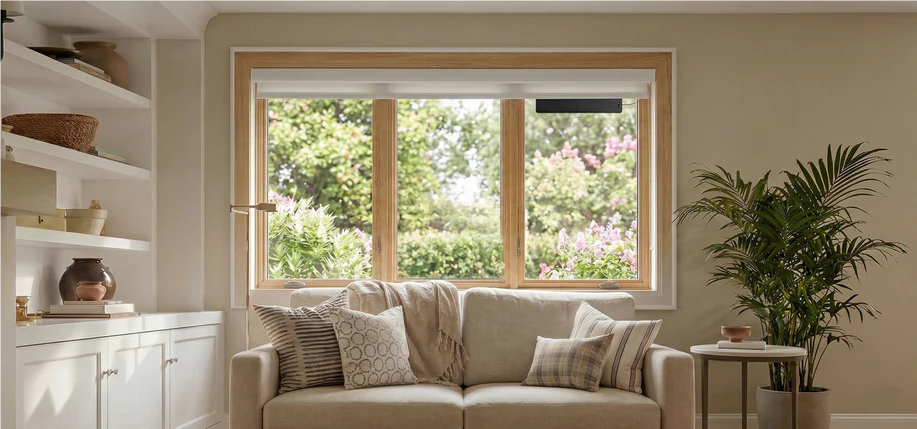

Motorized window shades range from basic remote-controlled models to sophisticated smart home devices with dozens of features.
Not every feature adds practical value, and some marketed capabilities create more complexity than convenience.
This guide identifies which features genuinely improve daily use and which are optional depending on your specific needs.
Essential Features (Non-Negotiable)
1. Reliable Motor Performance
The motor determines daily experience quality more than any smart feature.
Must-Have Specifications:
Smooth start and stop (no jerking)
Consistent positioning accuracy
Quiet operation under 45dB for bedrooms
Sufficient torque for your window size and fabric weight
Why This Matters: A shade that stutters, drifts from set positions, or makes disruptive noise becomes frustrating regardless of smart capabilities.
SmartWings Motor Quality:
Precision positioning for partial opening scenarios
Quiet operation suitable for bedroom installation
Rechargeable battery systems with 4-6 month charge cycles
Multiple power options (battery, hardwired, PoE) for different installation needs

2. Smart Home Integration
Basic app control isn't smart home integration—true integration means the shade works as a native device in your automation platform.
Key Requirements:
Direct platform support (not through third-party bridges when possible)
Matter motors require Thread Border Router (such as HomePod mini or Apple TV) for local control and automation
Firmware updates to maintain compatibility as platforms evolve
Platform Options to Consider:
Matter protocol (future-proof, multi-platform)
Native HomeKit, Alexa, or Google Home support
Compatible with major automation platforms
SmartWings Integration:
Matter protocol support for cross-platform compatibility
Works with Apple Home, Alexa, Google Home, and Samsung SmartThings
Requires compatible hub or Thread Border Router for local automation
Ongoing firmware support for feature additions
Red Flags:
"Works with [platform]" only through paid subscription
Requires brand-specific proprietary hub that only works with that brand's products
No local control capability

3. Multiple Control Methods
Relying on a single control method creates inconvenience when that method fails or isn't accessible.
Standard Control Options:
Smartphone app (primary control)
Voice commands through smart speakers
Physical remote control (backup for guests, connectivity issues)
Manual override (critical for emergencies)
Why Each Matters:
App fails during internet outages
Voice control doesn't work well with background noise
Remote control works for visitors unfamiliar with your system
Manual operation ensures functionality during power or connectivity failures
SmartWings provides all control methods as standard across product lines.
Important Features (Highly Recommended)
4. Scheduling and Automation
The primary value of motorization is automation, not just remote control.
Core Automation Capabilities:
Time-based scheduling (open at 7 AM, close at 10 PM)
Sunrise/sunset automation (adjusts automatically with season)
Scene integration (close shades as part of "movie mode")
Sensor triggers (close when room temperature exceeds threshold)
Advanced Automation:
Geofencing (close when everyone leaves home)
Weather-responsive (close during peak heat)
Adaptive schedules (learns from manual adjustments)
SmartWings supports all standard automation features through Matter protocol.

5. Customization Support
Windows vary significantly in size and shape. Brands that only offer standard sizes force compromises.
Required Customization:
Custom width and height within reasonable ranges
Specialty shapes (arched, angled, skylights)
Different mounting options (inside mount, outside mount)
SmartWings Customization:
Custom sizing support across all product lines
Specialty window solutions (skylights, trapezoid, arched)
For custom sizing needs, contact SmartWings team for support
Detailed measurement guides: Standard windows and Specialty shapes
Warning Signs:
Only standard sizes available
Custom sizing adds 50%+ to price
No specialty window support
6. Battery Life and Power Flexibility
Power source affects both initial installation and ongoing maintenance.
Battery-Powered Considerations:
Realistic charge cycle duration (not lab conditions)
Charging convenience (removable battery vs in-place charging)
Battery replacement cost and availability
Low-battery warnings
Alternative Power Options:
Hardwired power for high-traffic areas
Solar panel compatibility for difficult-to-reach windows
PoE (Power over Ethernet) for commercial or advanced residential installations
SmartWings Power Options:
Battery systems: 4-6 month charge cycles with 6-10 hour charging time
Rechargeable lithium batteries (no disposable battery waste)
Hardwired options for continuous power scenarios
PoE Matter motors for specific product lines
Useful But Optional Features
7. Intermediate Positioning
Most motorized shades support stopping at any position, not just fully open or fully closed. The key difference is precision and reliability.
Practical Scenarios:
Open 30% for morning light without glare
Close 80% for privacy while maintaining some natural light
Adjust throughout the day based on sun angle
This feature becomes particularly valuable for living areas where lighting needs change frequently.

8. Quiet Mode Operation
Some motors offer variable speed settings.
When This Matters:
Bedrooms (early morning or late night operation)
Nurseries (maintaining quiet environment)
Home offices (avoiding disruption during calls)
Trade-off: Slower operation extends the time shades are partially open, which may not suit blackout scenarios.
9. Smart Notifications
Some systems provide status alerts through your smart home app, such as low battery warnings and automation failure notifications. This helps prevent unexpected issues, particularly useful for homes with multiple motorized windows.
Features to Ignore (Marketing Fluff)
Obstacle Detection
Marketed as a safety feature, but motorized shades lack sufficient force to create safety hazards for standard installations. This feature adds cost without meaningful benefit for residential use.
Excessive Smart Integrations
Brands advertising "works with 20+ platforms" often provide minimal functionality on most platforms. Focus on deep integration with 2-3 platforms you actually use rather than superficial support for many.
App-Based Fabric Selection Tools
Virtual room visualization tools look impressive in marketing but rarely influence purchase decisions. Fabric samples and real-world installation examples provide more useful information.

Feature Priority Framework
When evaluating options, prioritize features in this order:
Tier 1 (Must Have):
Reliable motor performance
Smart home platform integration with proper hub support
Multiple control methods
Custom sizing support
Tier 2 (Strong Recommendation):
Scheduling and automation capabilities
Adequate battery life or power flexibility
Tier 3 (Nice to Have):
Quiet mode operation
Advanced automation features
Tier 4 (Skip):
Obstacle detection
Excessive platform quantity
Virtual visualization tools
How Features Translate to Daily Use
Morning Routine:
- Automation opens shades at 7 AM (Tier 1 feature)
- Opens to 40% to avoid direct sun (Tier 2 feature)
- Operates quietly to avoid waking others (Tier 3 feature)
Work From Home:
- Adjusts throughout day based on sun position (Tier 2 feature)
Evening:
- Scene integration closes all shades as part of "dinner mode" (Tier 2 feature)
- Remote control allows guest to adjust unfamiliar shades (Tier 1 feature)
Overnight:
- Scheduled closing ensures privacy (Tier 2 feature)
- Quiet operation doesn't disturb sleep (Tier 3 feature)
Common Feature Misconceptions
"More features = better product" False. Features only add value if you'll actually use them. Complex systems with dozens of features often deliver worse user experience than simpler systems executed well.
"Smart integration requires expensive proprietary hub" Depends. SmartWings uses universal hubs (HomePod mini, Apple TV, SmartThings hub) that work with multiple smart home brands.
Avoid products requiring brand-specific proprietary hubs that only work with that manufacturer's devices—these create vendor lock-in and additional costs.
"Battery operation is unreliable" False if properly implemented. SmartWings battery systems provide 4-6 months per charge with normal use, comparable to many other smart home devices.
The convenience of wireless installation often outweighs the minimal maintenance requirement.

Feature Verification Checklist
Before purchase, verify these claims:
Motor Performance:
Request noise level specifications
Check real user reviews for positioning accuracy
Verify maximum window size support
Smart Integration:
Confirm protocol (Matter, Zigbee, Z-Wave, Wi-Fi)
Verify hub requirements clearly
Check firmware update history
Customization:
Request custom sizing policy in writing
Verify specialty window support
Confirm measurement assistance availability
Power:
Get realistic battery life data (not "up to" claims)
Verify charging method
Confirm alternative power options
Common Questions About Motorized Shade Features
Q: How often do motorized shade batteries need charging?
SmartWings battery-powered motors last 4-6 months per charge with normal use, requiring 6-10 hours for a full charge.
Q: Do Matter protocol shades require buying an additional hub?
They require a compatible hub or Thread Border Router (HomePod mini, Apple TV, SmartThings hub). If you already own these for other smart home devices, no additional purchase needed. Avoid products requiring brand-specific proprietary hubs.
Q: Can I get custom sizes for non-standard windows?
Yes. SmartWings supports custom sizing across all product lines including specialty shapes. Contact the team for custom sizing support.
Q: Which room should I prioritize for motorized shades?
Master bedroom, sleep quality has the biggest impact. SmartWings blackout roller shades (starting $159.99) with sunrise/sunset automation significantly improve sleep routines.
Q: Will shades work if internet goes down?
Yes. Physical remote control continues to work without internet connection. App and voice control require internet connectivity.
Q: Should I install all windows at once?
Start with 1-2 windows for a 4-week test period. Confirm satisfaction before expanding to avoid large investment in a solution that doesn't fit your needs.


