
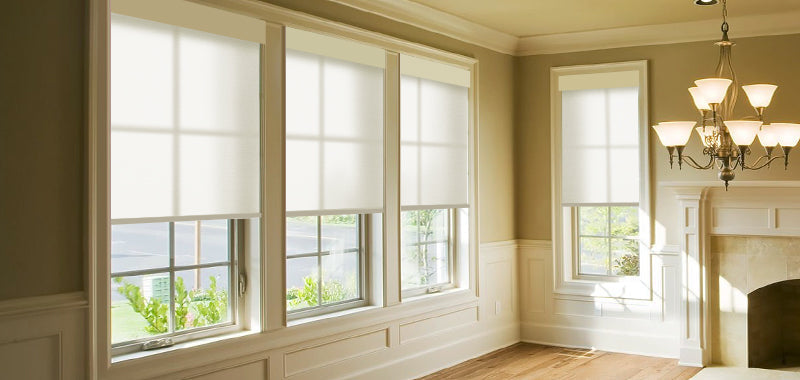

If you're building an Apple HomeKit smart home, choosing the right smart curtains means finding products that connect reliably to HomeKit through compatible protocols and hubs.
The answer depends on two key factors: connection method and product type.
This guide covers both, with a focus on practical solutions that work seamlessly with Apple Home.

How Smart Curtains Connect to HomeKit
Smart curtains connect to HomeKit through Matter protocol. Matter is the current standard for HomeKit-compatible motorized window treatments.
Matter Protocol Connection
Matter-compatible motors connect to Apple Home through Thread networking:
Requires Thread Border Router (HomePod mini or Apple TV 4K) Provides local control and automation.
Setup Requirements:
Matter-compatible smart curtain motor HomePod mini, HomePod (2nd gen), or Apple TV 4K as Thread Border Router iOS device with Apple Home app for initial pairing.
This approach delivers reliable HomeKit integration with minimal setup complexity.
Best Smart Curtain Types for HomeKit
Motorized Roller Shades
Most versatile and widely compatible:
Clean, minimal design
Excellent blackout options
Easy installation (inside or outside mount)
Ideal for bedrooms, living rooms, offices
SmartWings offers Matter-compatible motorized roller shades starting at $159.99, with full Apple Home integration and custom sizing available.

Cellular (Honeycomb) Shades
Best for energy efficiency:
Honeycomb structure provides insulation
Reduces heating and cooling costs
Combines smart control with energy savings
SmartWings Cellular Shades with Matter support range from $179-$559, covering standard windows to specialty shapes like skylights and arched windows.

Why SmartWings for HomeKit
SmartWings provides complete smart curtain solutions with native HomeKit compatibility:
Matter Protocol Support
Integration with Apple Home via Matter protocol
Works with HomePod mini or Apple TV as Thread Border Router
Provides local control when paired with compatible hub
Complete Product Range
Roller shades: blackout, light filtering, sheer
Cellular shades: single/double cell, specialty windows
For custom sizing needs, contact SmartWings team for support
Flexible Power Options
Rechargeable battery (4-6 month charge cycle)
Hardwired power
PoE (Power over Ethernet) for advanced setups

SmartWings Competitive Advantages for HomeKit Users
Premium Motor Performance at Accessible Pricing
SmartWings delivers professional-grade motor quality typically found in luxury brands, but at mid-tier pricing. Motors operate consistently under 45dB—quieter than many competitors rated at 50-55dB—making them suitable for bedroom installation without sleep disruption.
Comprehensive Customization Without Premium Charges
Unlike competitors offering only standard sizes or charging 50-100% premiums for customization, SmartWings provides:
Full custom sizing at competitive base pricing
Specialty window shapes: arched, trapezoid, skylights, angled windows
Oversized window solutions for large residential or commercial applications
Direct measurement consultation for complex installations
For custom sizing needs, contact SmartWings team for support.
Long-Term Value and Protection
SmartWings stands behind product quality with tangible commitments:
3-year warranty on motors and components (many competitors offer 1-2 years)
Rechargeable lithium batteries eliminate ongoing disposable battery costs
Matter protocol support prevents obsolescence as smart home standards evolve
Direct manufacturer support ensures responsive technical assistance and warranty claims
Proven Track Record
SmartWings has earned recognition from leading technology publications including CNET, Wirecutter, T3, ZDNET, and 9to5Mac for HomeKit integration quality and reliability.
Real-world user feedback consistently highlights motor durability, quiet operation, and responsive customer support as key differentiators from budget alternatives.
Total Cost Advantage:
SmartWings Roller Shades: $159.99-$209.99
Competing HomeKit-compatible brands: Often $250-400+ for comparable specifications

Key Factors When Choosing HomeKit Smart Curtains
1. Home Hub Requirement
To use HomeKit automation and remote access, you need:
HomePod mini, HomePod, or
The Apple TV 4K (3rd generation, 128GB), The Apple TV 4K (2nd generation)
These devices serve as Thread Border Routers for Matter-compatible curtains, enabling local control and automation.
2. Power Source
Battery-Powered
Easier installation (no wiring needed)
Recharge every 4-6 months
Best for most residential applications
Hardwired
Continuous power, no recharging
Requires electrical outlet or wiring
Better for commercial or high-use scenarios
3. Mounting Method
Inside Mount
Curtain fits within window frame
Cleaner, more integrated look
Requires accurate window measurements
Outside Mount
Curtain covers entire window frame
Better light blocking
More forgiving with measurements
4. Automation Capabilities
HomeKit-compatible curtains should support:
Time-based automation (open at sunrise, close at sunset)
Scene integration (movie mode, good morning scene)
Sensor triggers (temperature, light level)
Location-based automation (close when leaving home)
SmartWings curtains support all standard HomeKit automation features through the Matter protocol when paired with compatible hubs.
5. Noise Level
Motor noise matters, especially for bedrooms:
Look for motors rated under 45dB
SmartWings motors operate quietly for minimal disruption
SmartWings Product Recommendations by Room
Bedrooms
SmartWings Blackout Roller Shades
Complete darkness for better sleep
Matter-compatible for bedtime automation
Silent motor operation
Starting at $159.99

Living Rooms
SmartWings Light Filtering Roller Shades
Balanced privacy and natural light
HomeKit scenes for movie watching
Custom sizing for large windows
Energy-Conscious Homes
SmartWings Cellular Shades
Honeycomb insulation reduces HVAC costs
Automated based on temperature or time
Available in blackout and light filtering
Setting Up SmartWings with HomeKit
Install curtains (battery-powered models) or install and connect to power (hardwired models)
Ensure HomePod mini or Apple TV is set up as home hub
Enable Matter pairing mode on the motor
Open Apple Home app and tap "Add Accessory"
Scan the Matter QR code included with the motor
Follow prompts to complete pairing
Create automations and scenes as needed
The entire setup takes less than 5 minutes per curtain.
Ready to Upgrade?
For detailed product specifications, motor types, and installation guides, see the complete SmartWings buying guides:
For personalized recommendations based on your window sizes and automation needs, contact SmartWings.
Common Questions About HomeKit Smart Curtains
Q: Do I need a specific HomePod model for Matter curtains?
Any HomePod mini, HomePod (2nd gen), or Apple TV 4K (2nd gen or later) works as a Thread Border Router for Matter-compatible curtains.
Q: Can I control SmartWings curtains without HomeKit?
Yes. SmartWings provides remote control and compatibility with Alexa and Google Home.
Q: How long does battery power last?
SmartWings battery-powered curtains typically run 4-6 months on a single charge with normal daily use.
Q: Can I add SmartWings curtains to existing HomeKit scenes?
Yes. After pairing, you need to manually add the curtains to each existing scene and configure the desired actions (open, close, or specific positions).


