
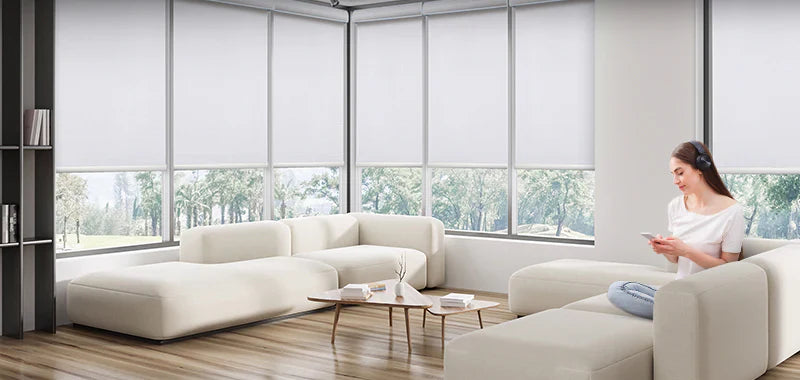

When choosing smart blinds for Google Home, the real question isn’t just compatibility — it’s whether the system fits naturally into your daily routine.
Can your blinds open automatically in the morning? Close smoothly at night? Run reliably without constant adjustments?
If everything works together well, smart blinds feel effortless. If not, even simple actions can become frustrating.
That’s why before buying, it’s important to understand a few key factors — so you can choose a setup that actually works in real life.
Quick Take: Start With This Simple Logic
If you just want a fast answer:
Want to use Apple Home or prefer compatibility across multiple smart home ecosystems → Choose Matter
Already running a smart home platform like Home Assistant and need your blinds to integrate with other devices, routines, and automations → Choose Zigbee or Z-Wave

1. Understand How Smart Blinds Connect to Google Home
Not all smart blinds connect in the same way.Most setups require a compatible hub or an intermediary platform.
With SmartWings motor options:
Matter motors → support Google Home, Apple Home, Alexa, and more
→ They connect through compatible ecosystem devices, enabling a more streamlined setup with fewer layers
Zigbee and Z-Wave motors → usually connect through systems like SmartThings or Home Assistant
→ When connected via SmartThings, they can then be shared to Google Home
This type of setup is better if you already have a smart home system in place.
Before choosing, it’s worth understanding how each protocol actually connects — not just whether it’s “compatible.”
If you’re not sure about the differences, start here: How to Choose the Right Smart Blind Motor (Matter vs Zigbee vs Z-Wave)
This guide explains each option based on real usage, system complexity, and long-term flexibility.

2. Know What You Need Beyond the Blinds
A common mistake is focusing only on whether the blinds support Google Home. But in reality, your experience depends on the whole system — not just the product itself.
For example:
Matter motors usually require a compatible hub or device with both Thread Border Router and Matter Controller functions
Zigbee / Z-Wave motors require a compatible hub
These are not optional — they are part of the system. Without them, your blinds may not work at all.
SmartWings motors are designed to work across major platforms, but they still depend on having the right system setup in place.
Understanding how these components work together can make a big difference in both setup and long-term performance.
SmartWings solutions are built around this system approach — helping you match the right motor, platform, and setup for your space.

3. Choose a System That’s Simple and Stable
This is often overlooked, but it has a big impact on your experience.
Simple setup Google Home → Hub → Blinds with Matter→ Faster response, fewer issues
More complex setup Google Home → Hub → Platform → Blinds with Zigbee/Z-Wave → More features, but also more chances for delays or sync issues
If this is your first smart blind setup, a simpler system is usually the better choice. If you already have a full system, then expanding within that setup makes more sense.
4. Automation Is Where Smart Blinds Really Matter
Most people don’t buy smart blinds just to control them manually.
They expect them to run automatically in the background — without needing constant attention.
Open in the morning.
Close at sunset.
Adjust together with lights or air conditioning.
This is where smart blinds create real value. But automation only works well if the system is stable.
If the setup is too complex, you may start noticing issues in daily use:
Schedules not triggering
Devices not syncing
Delays in execution
So when choosing, don’t just ask “Does it work?” Ask: Will it keep working reliably every day — without needing you to fix it?

5. Choose Based on Your Actual Home Setup
There’s no single “best” option — what matters is how well the system fits your current setup.
If you’re starting from scratch, Matter is usually the simplest choice, with fewer steps and a more straightforward setup.
If you’re already using systems like SmartThings or Home Assistant, Zigbee or Z-Wave will integrate more smoothly, without needing to rebuild your setup.
For larger or more advanced systems, Z-Wave (especially 800 LR) offers better scalability and more stable performance over time.

Make Your Decision Based on Both System and Product
Once you’ve chosen the right protocol, the next step is selecting the right type of blinds.
Most SmartWings products support multiple motor options — including roller shades, cellular shades, zebra shades, Roman shades, dual shades, and curtains — so you’re not limited by technology when choosing a style.
This flexibility allows you to start with your smart home system, then match it with the right shade type, instead of the other way around.
To explore all available options, you can browse SmartWings shade collections here.
Choosing the Right Setup for Your Google Home
At first glance, many smart blinds may look similar. But in real use, the difference comes down to how well the system and setup fit your home.
Start with the system, then choose the product — that’s what makes smart blinds easy to use.
If you’re not sure what fits your setup, SmartWings can help you find a more suitable solution.
FAQs About Smart Blinds for Google Home
Q1. Do all smart blinds work with Google Home?
Most do, but the connection method varies. Most require a compatible hub or an intermediary platform to work with Google Home.
Q2. Is Matter the easiest option?
For homes without an existing system, yes — it’s usually the simplest and easiest to manage.
Q3. Do smart blinds always need a hub?
Zigbee and Z-Wave require a hub.
Matter usually requires a compatible hub or device with both Thread Border Router and Matter Controller functions.
Q4. Why do some smart blinds feel unreliable?
In most cases, it’s due to a complex system setup — not the blinds themselves.


